What Is a URL Handle? Shopify Collection SEO Guide
Learn what a URL handle is, how to edit Shopify collection URL handles, and best practices for optimizing your URL slugs for better SEO.
What Is a URL Handle? And How to Optimize Yours
A URL handle is the last part of your page’s web address — the bit after the final slash. Getting your Shopify collection URL handles right is a small change that can have an outsized impact on your SEO.
Table of Contents
- What’s a URL handle (aka a collection slug)?
- Where do you set the URL handle for a collection on a Shopify store?
- How much impact does the URL handle have on your rankings?
- What should you do to optimize your collections’ URL handles?
First things first, what’s a URL handle (or collection slug)?
URL Handle (or slug) is the bit that shows up the URL for a collection page. Typically, it’ll look like: /collections/{url handle}.
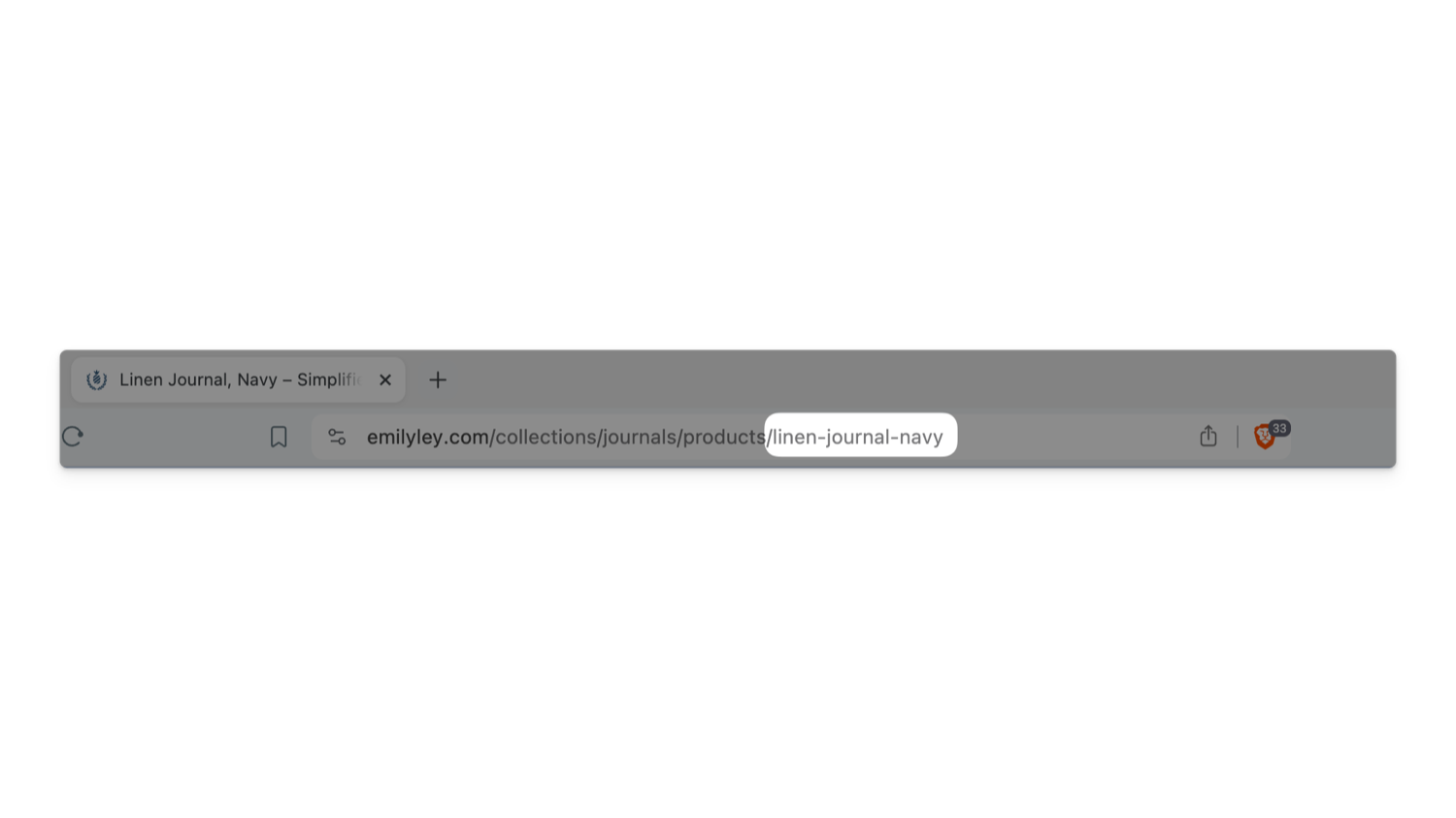
Here’s an example from Emily Ley and their fantastic journals. In the screenshot, the highlighted linen-journal-navy is the URL handle for the product page.
Where do you set a collection handle on a Shopify store?
- Go to a collection page (or create a new collection page)
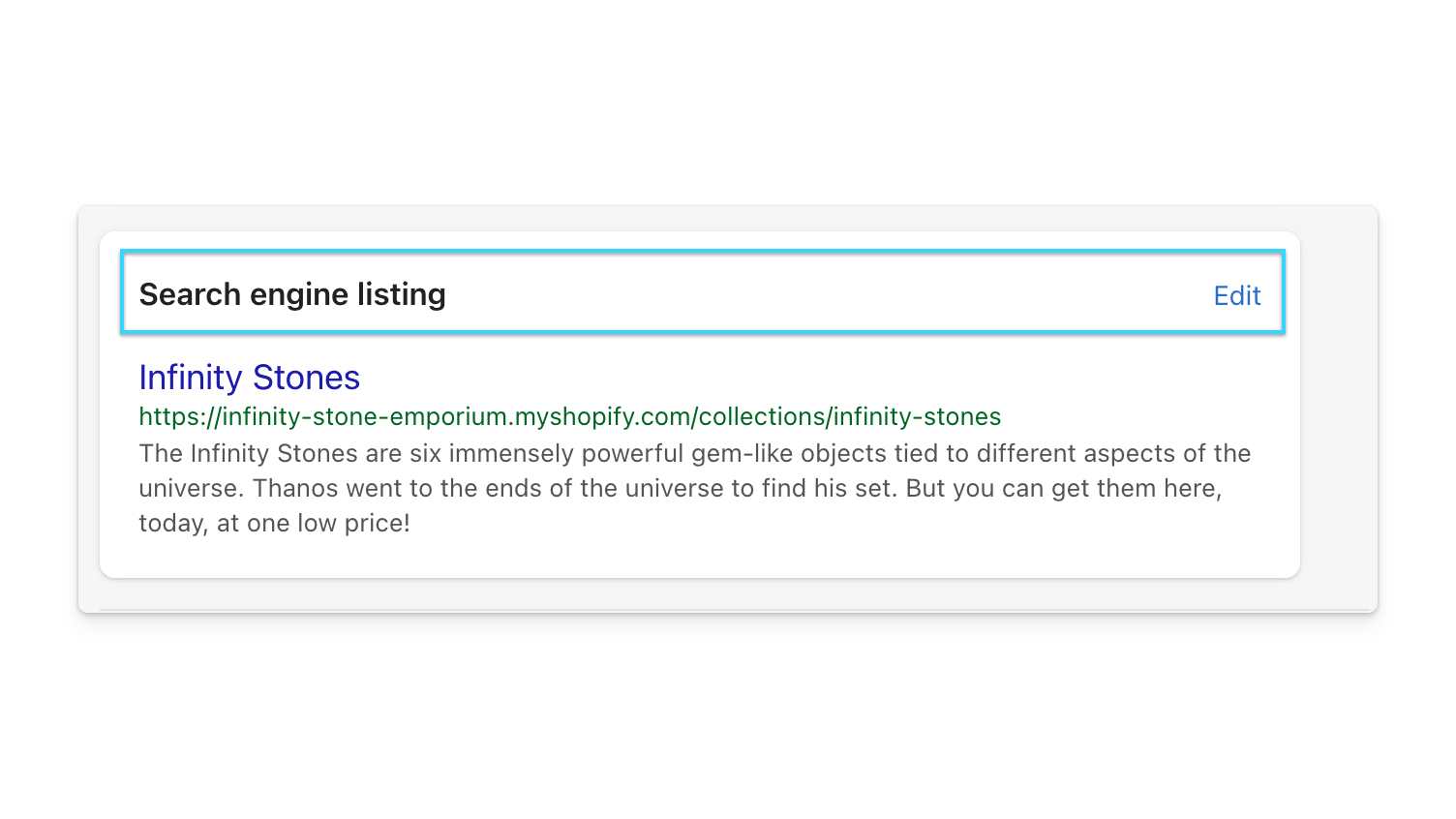
- Scroll down to the ‘Search engine listing’ and click ’edit.’
- Update the URL handle listed for that collection
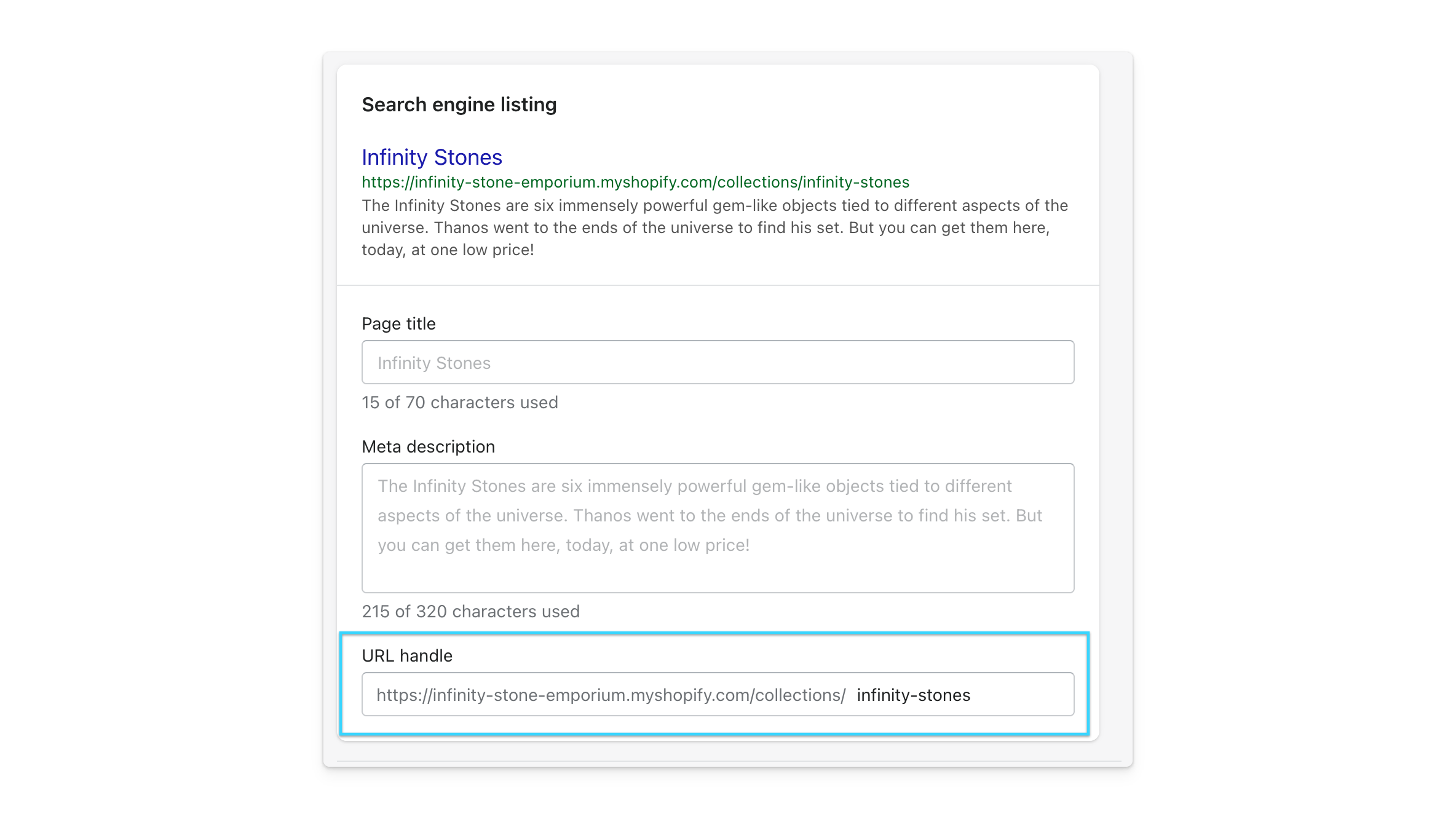
When you update a URL handle, Shopify will offer to set up a redirect for you. You should say ‘yes’ to that prompt.
How much impact does the URL/handle have on your rankings?
A small amount. Not a lot. Some. Mostly a little. Consider this mainly a user experience thing.
When it comes to keywords in URL, the keywords in your domain name (e.g., BuyDahliasOnline.com, LakeChamplainChocolates.com) and the keywords in the SEO title and the on-page content for a particular page all carry much more SEO weight than the keywords in an individual page’s URL handle.
In the past, this mattered more. These days, URL handles are more an element of user experience that has some impact on a page’s SEO. Google (and I) would like you to have friendly URLs:
- Short URLs
- That won’t change
- That mention a keyword
Good URLs are short
Consider these two examples:
- /collections/red-fire-truck-toys/
- /collections/copy-of-red-fire-truck-toys-boys-girls-august-2021/
The first URL is more precise and more accessible for the visitor to read. The second has a bunch of extra stuff in it.
Focus on having short URLs that are just a few words long.
Good URLs don’t change
When a URL changes, Google sees it as a new page. That’s a really big deal! You don’t want to change your page URLs, especially if it’s a page that’s doing alright in terms of SEO.
So if you update a collection from:
/collections/mens-hawaiian-shirts-2022/
to
/collections/mens-hawaiian-shirts-2023/
Google will see the resulting as a brand-new page. You rankings will get reset and recalculated. You’ll lose some of the benefits of links pointing to the old page.
All will mean your SEO and rankings for that page will take a hit and take some time to recover.
Good URLs do mention a keyword
It’s worth mentioning a keyword in the collection URL (e.g., /collections/red-trucks/). It helps with SEO and helps your visitors understand what a URL is about.
Don’t go overboard. Just mention a keyword and use a few words. You want your URLs to be short.
What should you do to optimize the URL slugs for your collections on your Shopify store?
Don’t stress. Just focus on having URLs that:
- Are short
- Don’t change
- Mention a keyword
Your URL handle isn’t high-impact. It’s valuable to tune, but it isn’t a significant factor. Better to worry about writing collection SEO titles, building more internal links, or writing collection descriptions.